
Every setting
This page lists every group in Settings, what each field does and when it saves.
Open Settings
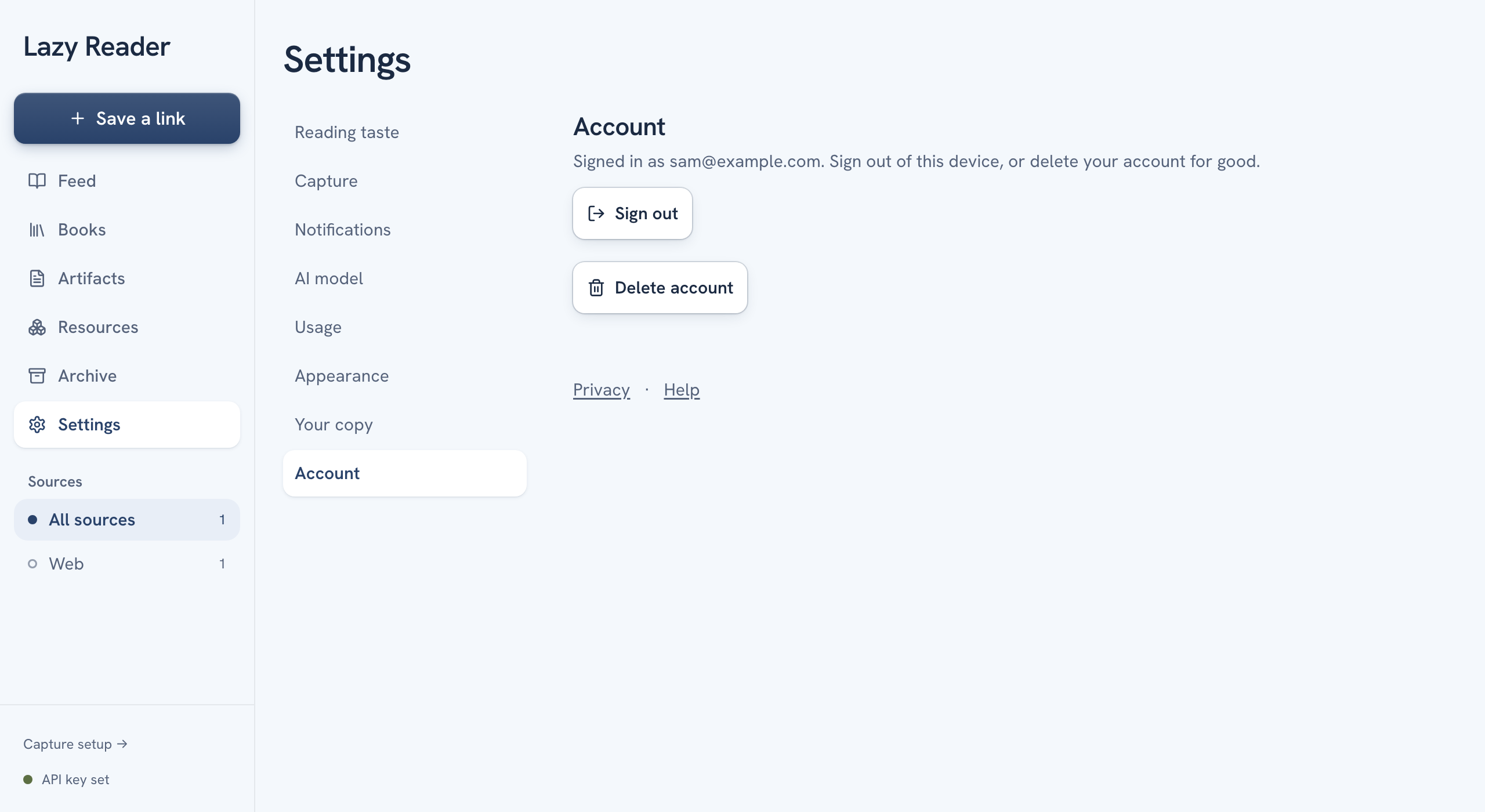
- On a computer, click Settings in the left sidebar. The groups are listed down the left side of the page. Click one to open it.
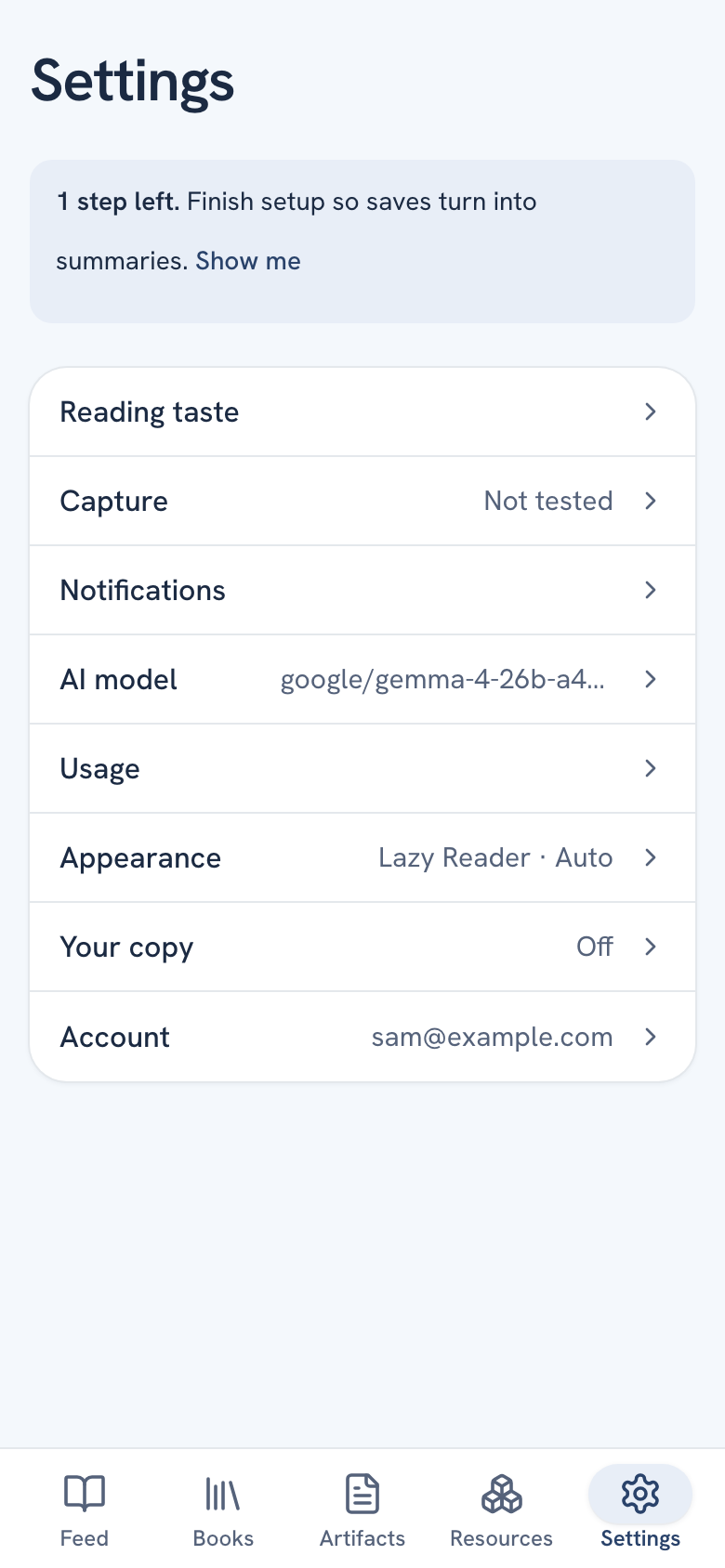
- On a phone, tap the Settings tab at the bottom. You see a list of groups, each with its current value on the right, such as "Lazy Reader · Auto" for Appearance. Tap a row to open it and tap Settings at the top to go back.
While setup is not finished, a phone shows a banner at the top: "2 steps left. Finish setup so saves turn into summaries." Tap Show me to open Setup.
How changes are saved
| Kind of field | When it saves |
|---|---|
| Switches and buttons (notifications, look, mode) | The moment you change them. |
| Short fields (Model, Backup model) | When you leave the field. A small "Saved" appears under it. |
| Keys and long text (API keys, What I care about, styles) | Only when you press Save key or Save. Until then a line says "Nothing is saved until you press Save." |
Setup
Shown only while a step is left. It goes away once both rows are done.
| Row | What it does |
|---|---|
| OpenRouter key | Paste your key in API key and press Save key. The status changes from Needed to Saved. See Get an OpenRouter key. |
| Share to Lazy Reader | The three iPhone steps to turn Lazy Reader on in the share sheet. Not tested turns into Working once a saved link has arrived. Check again looks again. |
Reading taste
| Field | What it does |
|---|---|
| What I care about | A few lines about your interests, used to tailor your summaries. Press Edit, write, then Save or Cancel. |
| Summary style | "How your summaries are written." Press Use my own to write your own rules, Back to standard to undo that. |
| Book chapter style | The same, for each chapter of a book. |
| Book guide style | The same, for the whole-book guide: plan, map, exercises and book notes. |
When Lazy Reader changes its standard style and you use your own, you see "The standard prompt changed." with Show changes, Keep mine and Back to standard. See Shape your summaries.
Capture
| Field | What it does |
|---|---|
| Share to Lazy Reader | The same row as in Setup. |
| Your SociaVault key, needed only for Instagram links. Status Optional or Saved. | |
| Waiting saves | Opens the Waiting page with the paywalled saves the Chrome clipper finishes. |
| Newsletter inbox | Your private address under Your address, the Accept newsletters switch, Latest mail, the Gmail auto-forward steps and Rotate address. See Forward newsletters. |
| Capture token for scripts | The Capture URL and Capture token, with buttons to show, hide and copy them. Used by the Chrome clipper and your own scripts. The iPhone share sheet does not need it. |
| Regenerate token | Makes a new token. It asks first: "This breaks any script or clipper that uses the current token." |
Notifications
| Field | What it does |
|---|---|
| Notifications on this iPhone or on this browser | Turns alerts on for this device. Turning it on asks for permission. |
| Tell me when | Four switches: Summary ready, Finished on your computer, Could not be read and Deliveries. |
| Quiet hours | A switch with From and to times. What arrives then comes as one alert when they end. |
| When to send | As they arrive, or Once a day at an hour you pick. |
| Send a test | Sends a test alert to your devices. |
| Your devices | Every device with alerts on, each with Remove. |
AI model
| Field | What it does |
|---|---|
| OpenRouter key | The same form as in Setup. Enter a new key to replace the old one. |
| Model | Any OpenRouter model id. Leave it empty for the standard model, google/gemma-4-26b-a4b-it. |
| Backup model | "Used when the first model fails three times. Leave empty for none." |
Usage
What Lazy Reader used on your SociaVault and OpenRouter keys. Pick 7 days, 30 days or All time. You see the SociaVault credits and OpenRouter tokens used, then three tables: By feature, By model and By day. It counts only Lazy Reader's own calls, not your full balance with each provider.
Appearance
| Field | What it does |
|---|---|
| Look | Lazy Reader (pale blue page, navy ink) or iPhone style (the system font and blue, like iOS). |
| Mode | Light, Dark or Auto. Auto follows your phone. Look and mode apply to this device only. |
| Reading text | Text size from Small to Largest, and Font: Literata, Inter, Atkinson or iPhone. Saved to your account, so it is the same on every device. |
Your copy and Account
Download everything sits in Your copy. It makes a zip of your library as Markdown files and downloads it.
In Account the top line shows the email you signed in with.
- Sign out signs you out on this device only.
- Delete account deletes every saved item and summary and your profile, with your API keys and capture token, for good. Type
DELETEin the box, then press Delete account. After that, saving from the share sheet, the clipper and scripts stops working.
WARNING
Deleting your account cannot be undone. Press Download everything first if you want to keep a copy.
The Privacy link under these buttons opens the privacy page.